Every active user account in KaiNexus is assigned a License Type based on the user’s System Role.
License Types do not affect what actions a user can perform. Instead, they help KaiNexus Champions and administrators ensure the organization stays within the limits of its contract for each License Type.
What are the License Types?
License Types categorize Active users into access levels within the platform. These levels follow a hierarchy, from highest to lowest:
The four License Types for Active users are:
/Ofie/Ofie%20Profile%20Pic.png?width=50&height=50&name=Ofie%20Profile%20Pic.png) Pro Tip: Additional License Types exist for Capture, Offline, Wallboard, and Kiosk users. These align with specific User Types and are covered in more detail in the User Types support page.
Pro Tip: Additional License Types exist for Capture, Offline, Wallboard, and Kiosk users. These align with specific User Types and are covered in more detail in the User Types support page.
Admin
Admin licenses are typically assigned to Champions and high-level users who directly support them. Users with an Admin license have access to elevated permissions across the system, allowing them to manage configurations and organizational settings.
System Roles with any of these permissions are considered Admin:
- Role Admin
- Quality Admin
- System Admin
- AI Admin
- Impersonate Users
Pro+
Pro+ licenses are intended for tech-savvy leaders who need increased visibility and system access.
System Roles with any of these permissions are considered Pro+:
- Board Creator
- Card Manager set to Everywhere
- Share Item Lists
- People Section
- Reports Section
- Goal Manager
- Habit Manager
- Capacity Manager
Pro
Pro licenses are given to leaders who manage the work of other users in the system. They have broader access than Basic users, helping them oversee work within their teams.
System Roles with any of these permissions are considered Pro:
- Items Section
- User Manager
- User Attributes Manager
- Edit set to Everywhere
- Assign (Which Items) set to Everywhere
Basic
Basic licenses are assigned to individual contributors who are part of Teams but do not manage others’ work. This License Type is ideal for team members who need to contribute without administrative or leadership permissions.
How is a user's License Type determined?
A user's License Type is based on the System Role or Roles assigned to them. Each System Role in your organization has a predefined License Type, determined by the permissions included in that Role.
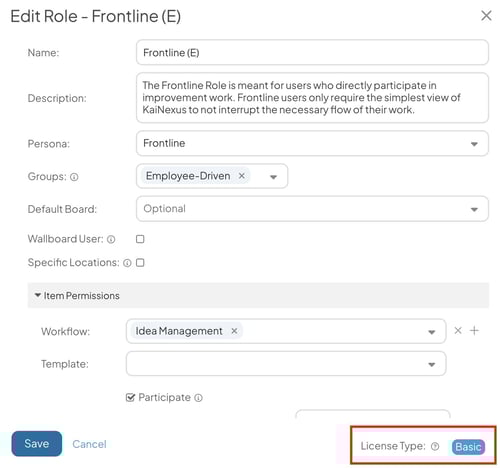
You can see a System's Roles License Type when creating and editing them.
Pro Tip: When a Role includes any permissions associated with a higher-level License Type, the Role is considered to have that elevated License Type, even if it does not include all possible permissions for that level.
When a user is assigned multiple Roles, their overall License Type is determined by the highest-level License Type among all their Roles. For example, if a user has one Role with a Basic License and another Role with a Pro License, the user will have a Pro License.
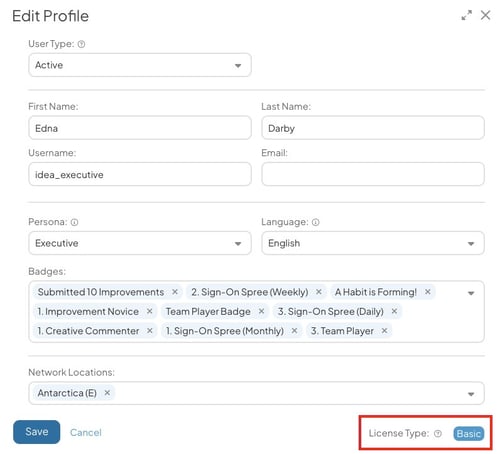
You can see a user's License Type when creating or editing their account.
Tracking License Types
There are several in-app tools you can use to track user License Types.
Filter User Lists by License Types
Filtering People Lists by License Type helps you create lists of users with particular License Types.
You can filter users by License Type in the User Filter, or in the People and User Management sections. From here you can use the License Type Quick Filter to quickly update which users you're looking at.
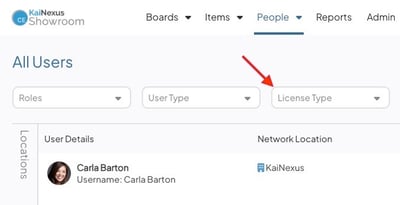
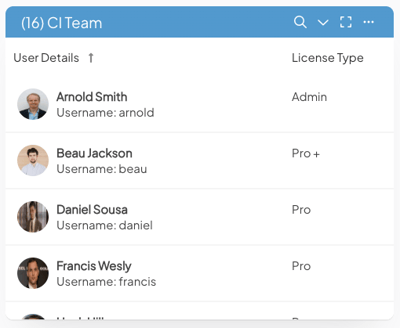
Add a License Type column to your People List
When editing the columns of a People List, you can add the License Type column. This allows you to see each user's License Type at a glance. This column is supported in XLSX and PDF exports.
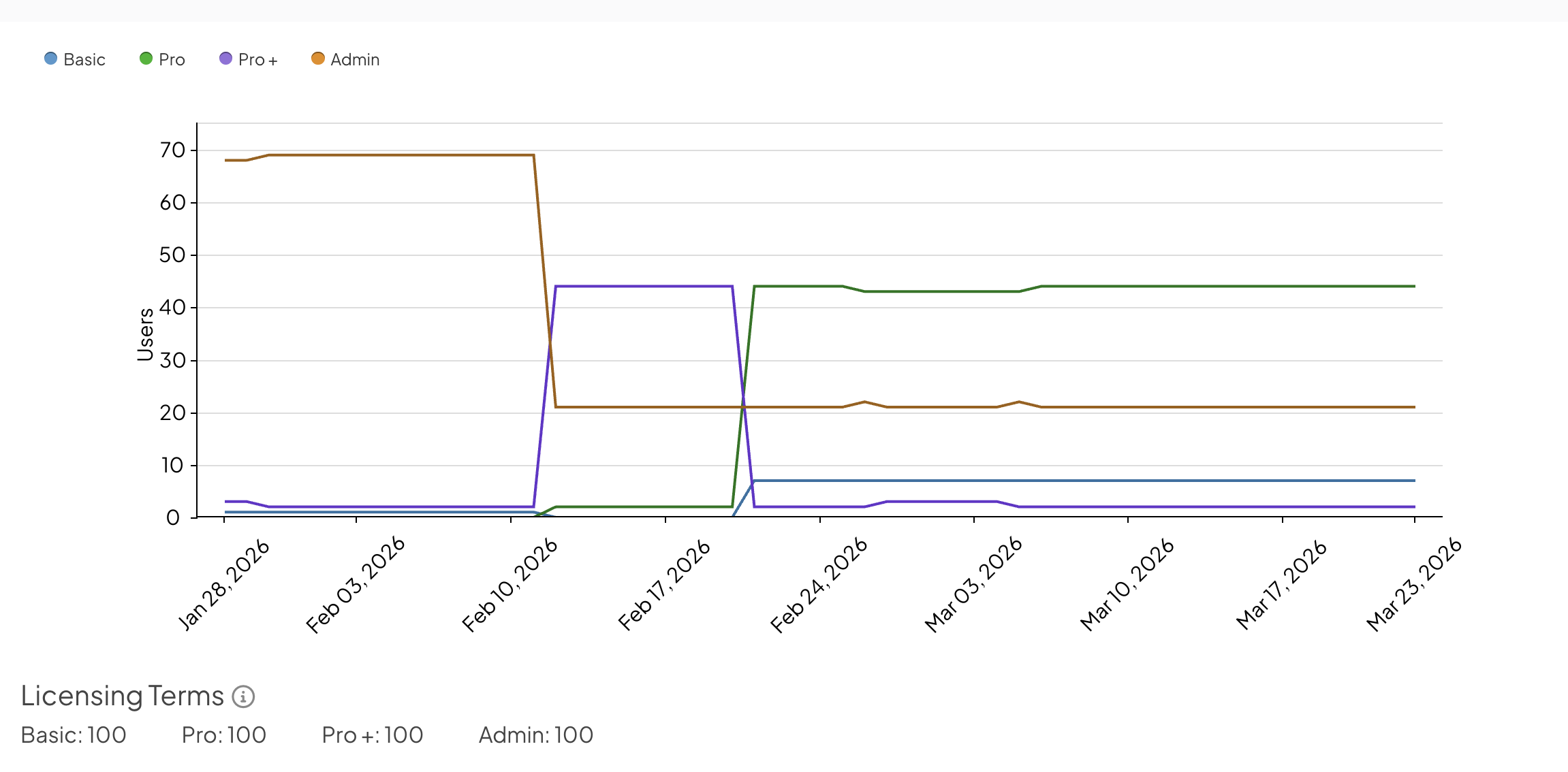
User License Counts Over Time Report
The User License Counts Over Time Report displays the number of users in each of the four License Types used to categorize active users over time. This report helps track trends and ensures you stay within your licensed limits.