
 REQUIRED: The API Module must be enabled for your organization to perform the functions on this support page. Reach out to your Customer Success Manager to enable it.
Who can create a new API Key?
Only people with the "API Admin" permission can create new API Keys.
Create a new API Key
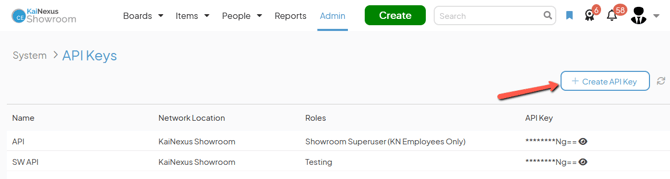
To create a new API Key, navigate to the API Keys administration page, then:
- Click Create API Key at the top of the list of API Keys and the New API Key window will open.
-
- Name (required): The name will be used to identify this API Key.
- Determine the API Key's level of access within KaiNexus — the people and Items with which it has permission to work — by configuring its Locations and Roles.
- Network Locations (required): Use this field to search for and select the appropriate Network Location(s).
- Roles: Use this field to search for and select the appropriate Role(s) for the API Key.
The API Key’s Roles determine its permissions within KaiNexus. For example, an API Key with the “View Private” permission for a Location can be used to export an Item List that includes private Items in that Location.
If the API Key has multiple Roles, it will inherit all permissions from those Roles within the selected Network Locations.
- Click Save.